 Pelican
A complete order overview
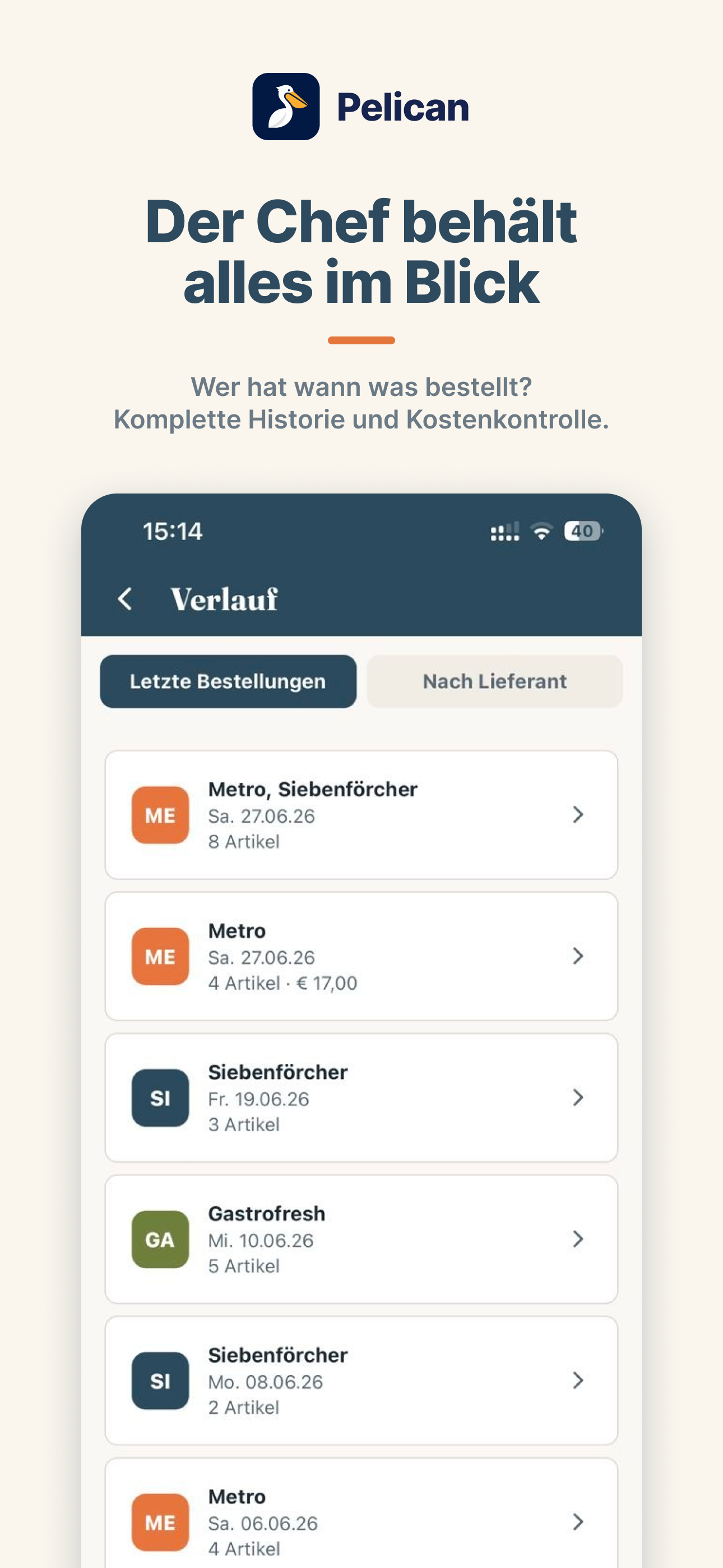
When was what ordered, from whom and by whom? The order history records every order in black and white. Traceable at any time instead of by word of mouth. The control instrument for the one who pays the bill in the end.
The kitchen team collects orders by voice. Pelican sorts everything automatically. When the supplier rep arrives, the list is ready.


Everyone scribbles down what's missing – on receipts, scraps, in phone notes. Different handwriting, scattered across the whole kitchen. When the rep arrives, one person has to gather it all and type up a list. Messy, time-consuming, error-prone. And something always gets forgotten.
By voice or manually, mid-service. Everyone adds what's missing.
Duplicates merged, everything automatically grouped by category.
The rep arrives, the head chef orders straight from the sorted order list.
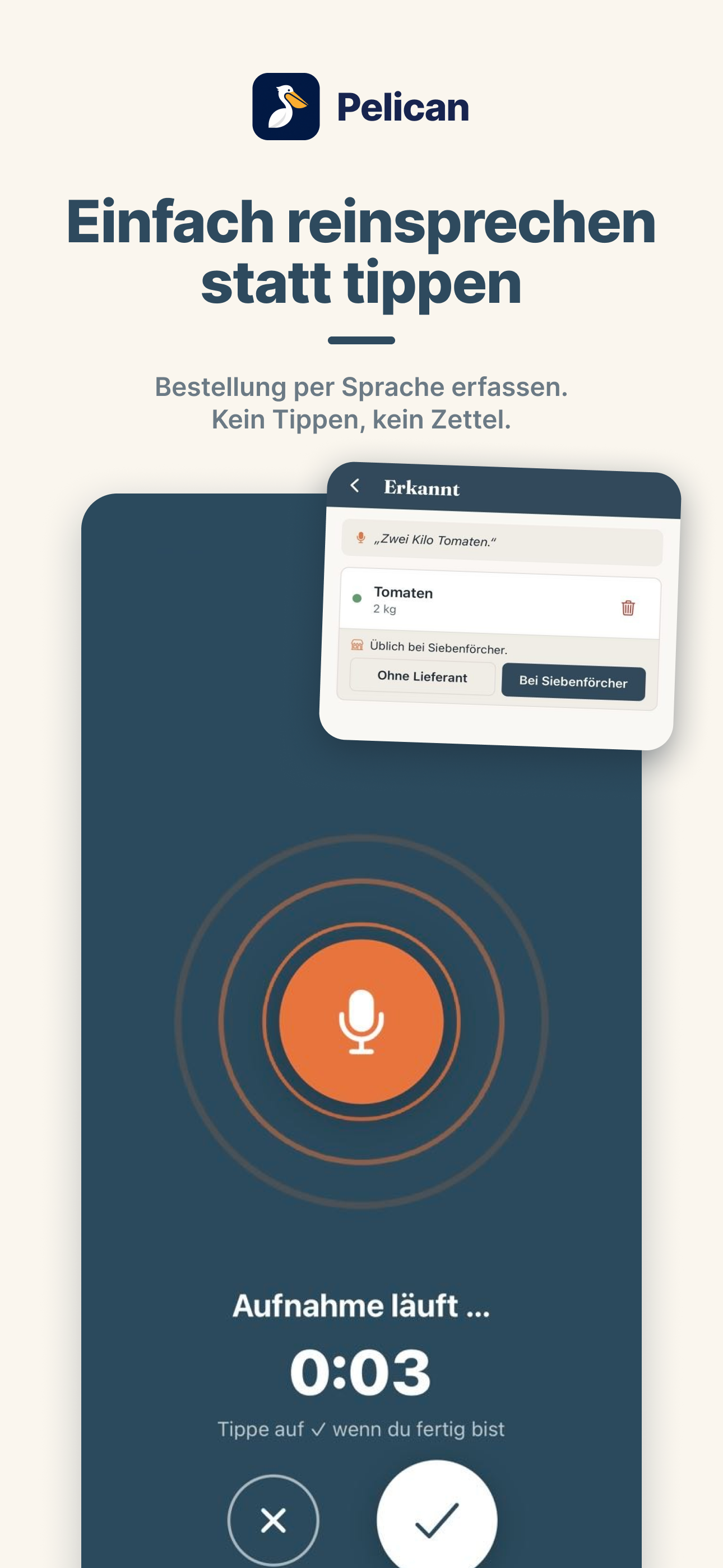
Hands full mid-service? Hold the mic and speak: »three crates of vine tomatoes, five litres of olive oil«. Pelican recognises the item and quantity and adds them to the list, neatly sorted.
The whole kitchen team enters items on one shared list and instantly sees what's already there. For every item it's visible who added it – no questions, no duplicate orders.
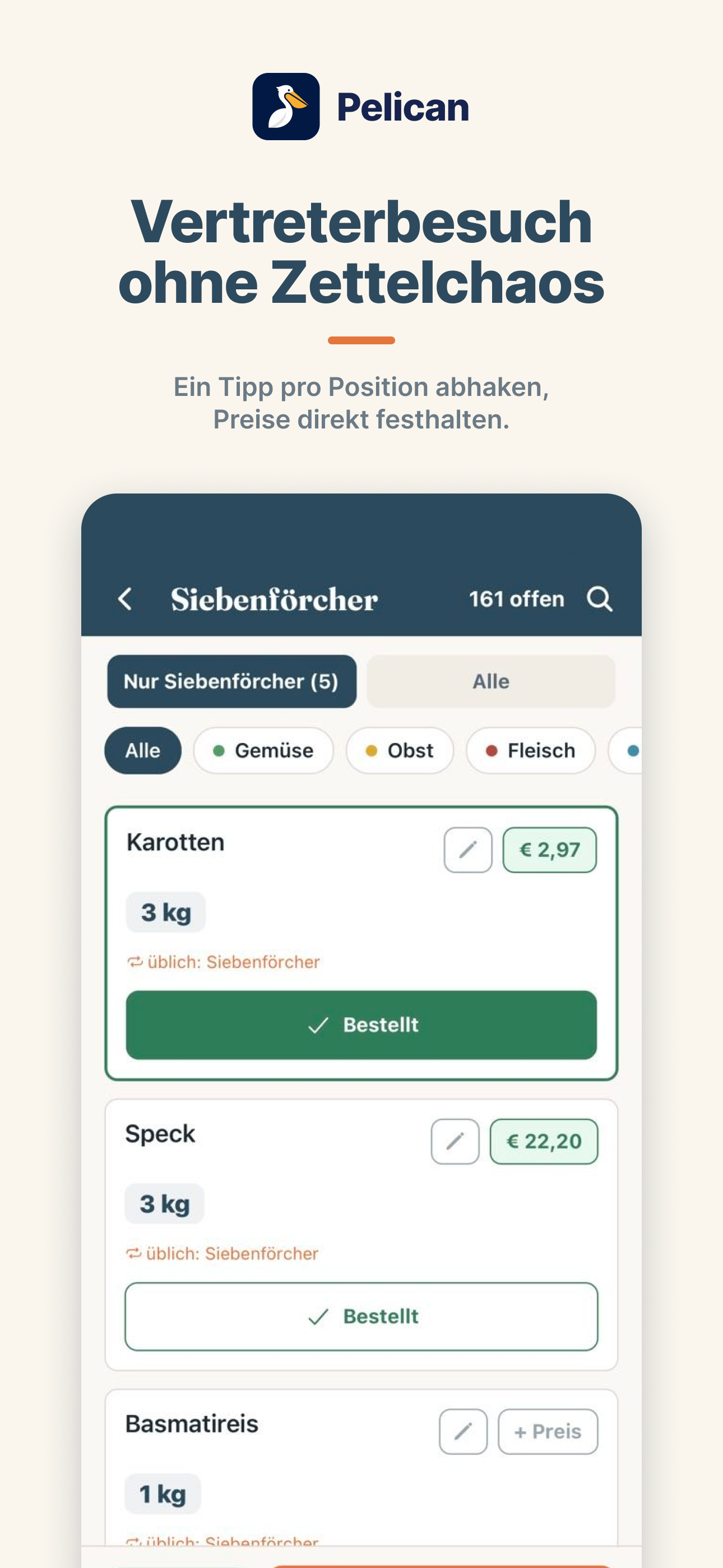
When the rep arrives, just switch to rep mode: large type, one tap per item. Whoever places the order checks off what gets ordered from whom, optionally enters the price, and sees in the order history when what was ordered at which price.
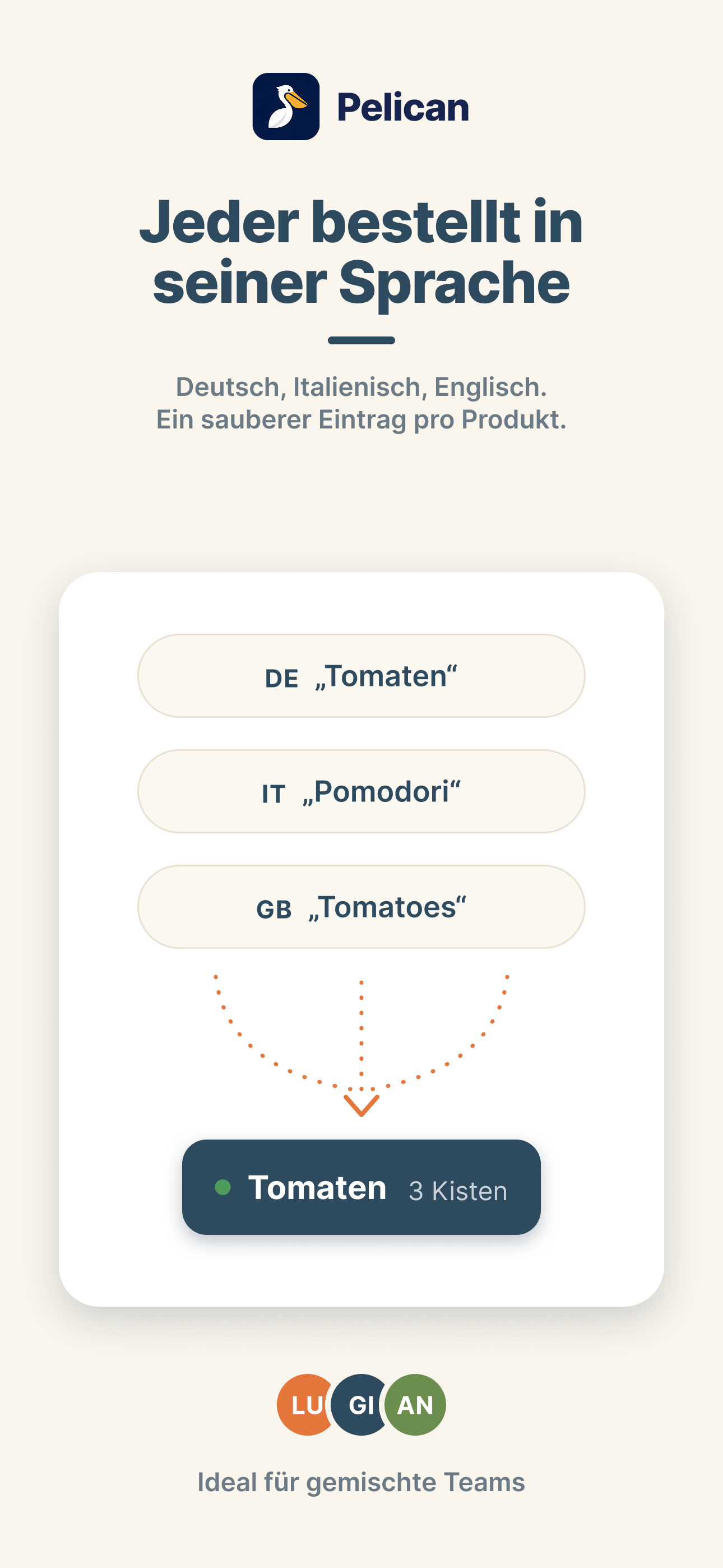
Not everyone in the kitchen speaks the same language – and they don't have to. Everyone enters in their own language, Pelican recognises the product behind it and writes it down consistently. English, Italian, German, Spanish: one team, one list, no misunderstandings.
Pelican wasn't built at a desk. We developed the app together with chefs and restaurateurs – every feature solves a real problem from everyday kitchen life.
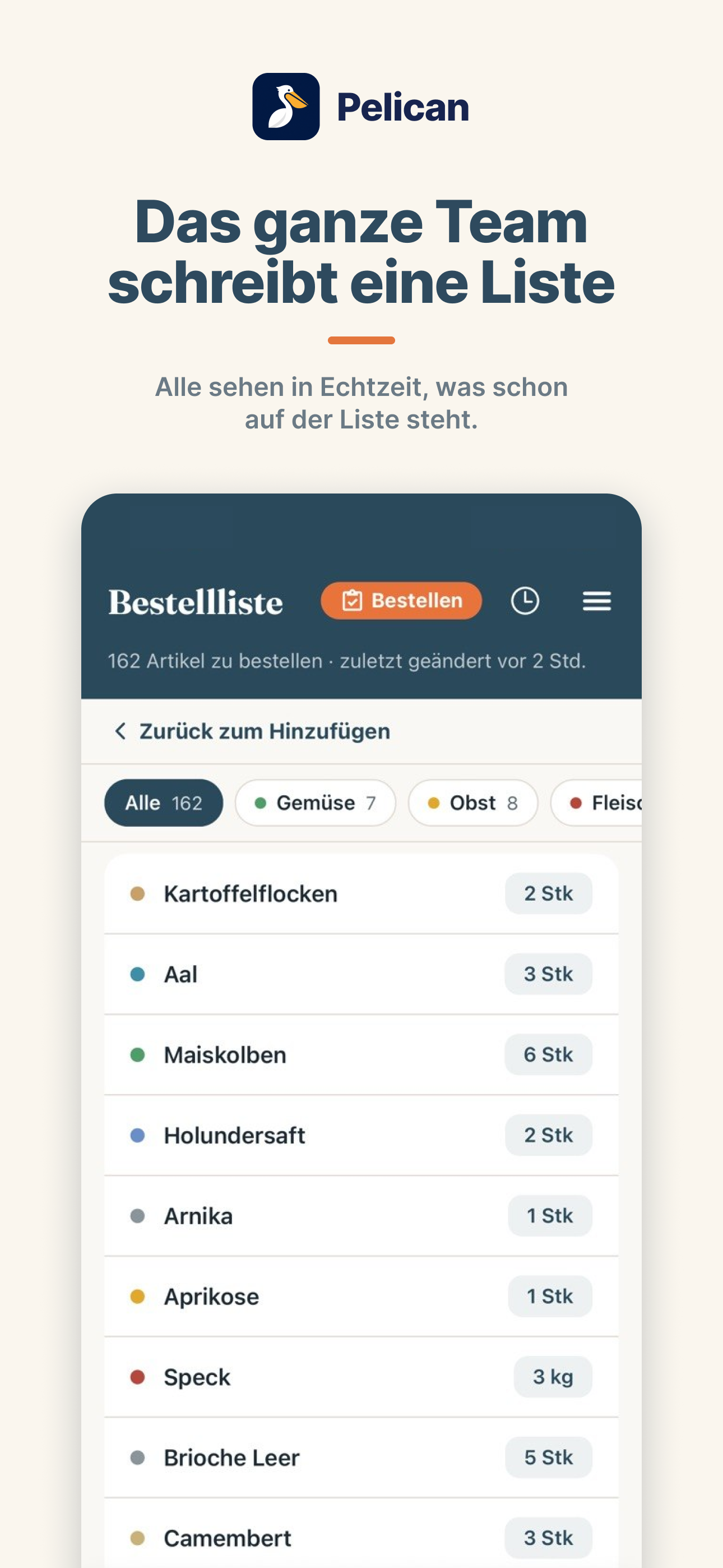
Every item lands in the right category: vegetables, meat, dry goods and more.
Everyone sees in real time when something is added or changes. Push alerts can be turned off anytime.
No rep coming? Send the list as a PDF, by email or WhatsApp – split by supplier if you like.
Runs on the smartphones and tablets already in the kitchen – iOS and Android.
Guided onboarding tour: create your business, invite the team, get going – no training needed.
The head chef invites the team by link and assigns roles. Everyone sees exactly what they need.
For the kitchen team, ordering gets faster. For the owner, it becomes clear what is being ordered in the business, even without standing in the kitchen. Because everyone works on one list, there are fewer duplicate and wrong orders.
When was what ordered, from whom and by whom? The order history records every order in black and white. Traceable at any time instead of by word of mouth. The control instrument for the one who pays the bill in the end.
A cook leaves, the knowledge stays: suppliers, usual quantities and the entire order history belong to the business, not to one person's head. Whoever starts new sees immediately how things were ordered before.
If the team enters prices when ordering, the owner sees where the food cost goes: per order, per supplier, per week. Cost control on the side.
Snap a photo of the delivery note or invoice and Pelican checks it against the order automatically: do quantity and price match? Discrepancies surface before they cost money.
Pelican is paid once per business. The business provides access, and the whole kitchen team then uses the app at no extra cost. 30-day free trial, cancel anytime.
Already created your business and ready to activate Pelican?
Choose a plan and payThe owner never has to open the app. The team creates the business, the head chef invites the staff. To activate, the team shares a payment link. The owner pays in two clicks and then manages the subscription completely independently via the customer portal. Cancelling, invoices, plan changes: all outside the app, anytime.
Activate your team nowCreate your business first. Then download the app, sign in and invite your team.
Step-by-step guide:
Pelican is an order-planning app for professional kitchens. The kitchen team captures the daily needs together by voice or by typing, and the head chef releases the finished list before the supplier visit.
Learn more: the restaurant order guide →On iPhone and iPad, registration runs on the website. As the head chef you create your business here first (Create business) and then sign in to the app with the same email and password. You become the head chef right away and get a 30-day free trial.
Team members don't register on their own: the head chef invites them, they complete their sign-up via the invitation link on the website and then sign in to the app. On Android, the business and invitations can also be handled directly in the app.
Yes, that's exactly what Pelican is made for. Everyone enters in their own language – English, Italian or German. Pelican recognises the product behind it and writes it consistently onto the shared list. Whether tomato, pomodoro or Tomate: it lands as one clean entry.
Learn more: multilingual kitchen teams →No. The owner doesn't have to use the app at all. The team creates the business (on iPhone via the website first, on Android directly in the app), the head chef invites members, and everyone joins with a free account – up to 5 on Basic, unlimited on Pro.
Payment is made via a link the team passes to the owner. The owner pays without an app account and manages the subscription independently through the customer portal.
The order history shows at any time when what was ordered from whom: as a control instrument, during staff changes and, if the team enters prices, also as an overview of spending.
A scanner for delivery notes and invoices is in the works: take a photo and Pelican automatically checks whether delivery and invoice match the order.
Learn more: choosing a restaurant ordering app →No. Pelican is paid once per business. The business provides access and the whole kitchen team then uses the app at no extra cost.
Pelican is billed per business. Basic costs 29 euros per month for up to 5 users, Pro costs 59 euros per month for unlimited users. New businesses can try Pelican free for 30 days.
No. Pelican runs on the smartphones and tablets already in the kitchen, on iOS and Android.
No. Pelican prepares the order as a team. Ordering and price negotiation happen as usual directly with the supplier or representative. The personal price conversation stays.
Learn more: building a kitchen order list →The subscription can be cancelled anytime via the customer portal. Access remains active until the end of the paid period.